import sys
from time import time, sleep
import numpy as np
import win32gui, win32ui, win32api, win32con
from pynput import keyboard
def num_of_detection_box(size: int, stride: int):
return int(size / stride)
def load_cfg() -> dict:
try:
with open('AutoLootConfig.ini', 'r', encoding='utf-8') as file:
config = eval(file.read())
assert isinstance(config, dict)
return dict(config)
except Exception as e:
print('Config File Parse Failed.')
return {}
CFG = load_cfg()
STRIDE_X, STRIDE_Y = 24, 8
DOWNSAMPLE_RATE = int(CFG.get('DOWNSAMPLE_RATE', 2))
COLOR_THRESHOLD, STD_THRESHOLD = CFG.get('COLOR_THRESHOLD', 35), 20
DELAY = CFG.get('DELAY', 0.2)
SEARCH_RANGE = CFG.get('SEARCH_RANGE', 640)
def hello():
print('POE - AutoLoot Ready to Roll.')
print(f'Color Threshold: {COLOR_THRESHOLD}')
print(f'Search Range: {SEARCH_RANGE}')
print(f'Loot Delay: {DELAY}')
print(f'Downsample Rate: {DOWNSAMPLE_RATE}')
print('')
print(f'Press "Space" to pick up an item. Press "CapsLock" to pick up item continually.')
class Looter:
def __init__(self) -> None:
self.fever_mode = False
self.handle = win32gui.FindWindow(0, "Path of Exile")
if self.handle == 0:
win32gui.MessageBox(0, "游戏尚未启动,无法找到窗口.", "Error", 0)
sys.exit(-1)
self.wDC = win32gui.GetWindowDC(self.handle)
self.dcObj = win32ui.CreateDCFromHandle(self.wDC)
self.cDC = self.dcObj.CreateCompatibleDC()
self.dataBitMap = win32ui.CreateBitmap()
self.width = None
self.height = None
self.l_offset, self.t_offset = 0, 0
self.n_box_x, self.n_box_y = 0, 0
self.lx, self.ly = 0, 0
def screenshot(self) -> np.ndarray:
# get window size
l, t, r, b = win32gui.GetWindowRect(self.handle)
self.width = int((r - l))
self.height = int((b - t))
self.l_offset = l
self.t_offset = t
self.dataBitMap.CreateCompatibleBitmap(self.dcObj, self.width, self.height)
self.cDC.SelectObject(self.dataBitMap)
self.cDC.BitBlt((0, 0), (self.width, self.height), self.dcObj, (0, 0), win32con.SRCCOPY)
# save the image as a bitmap file
signedIntsArray = self.dataBitMap.GetBitmapBits(True)
img = np.frombuffer(signedIntsArray, dtype="uint8").reshape(self.height, self.width, 4)
img = img[::DOWNSAMPLE_RATE, ::DOWNSAMPLE_RATE, :3]
self.width = int(self.width / DOWNSAMPLE_RATE)
self.height = int(self.height / DOWNSAMPLE_RATE)
self.n_box_x = num_of_detection_box(self.width, STRIDE_X)
self.n_box_y = num_of_detection_box(self.height, STRIDE_Y)
return img
def detect(self, shot: np.ndarray, srange: int, order: str = 'Near to Center') -> tuple:
if self.fever_mode: srange = 10000
# Record time
tick = time()
# get mouse cursor position
cursor = win32api.GetCursorPos()
# Step 1. Do Screen Shot
shot = shot[: self.n_box_y * STRIDE_Y, : self.n_box_x * STRIDE_X, ::-1]
# Image filter
shot = shot.reshape([self.n_box_y, STRIDE_Y, self.n_box_x, STRIDE_X, 3]).transpose([2, 0, 4, 1, 3]).reshape([self.n_box_x, self.n_box_y, 3, -1])
std = np.std(shot, axis=-1)
mean = shot.mean(axis=-1)
# find item
found, lx, ly = False, 0, 0
coords = []
for y in range(self.n_box_y):
for x in range(self.n_box_x):
coords.append((x, y))
if order == 'Near to Cursor':
coords = sorted(coords, key=lambda _: abs(cursor[0] - _[0] * STRIDE_X) + abs(cursor[1] - _[1] * STRIDE_Y))
if order == 'Near to Center':
coords = sorted(coords, key=lambda _: abs(self.width / 2 - _[0] * STRIDE_X) + abs(self.height / 2 - _[1] * STRIDE_Y))
for x, y in coords:
if (
abs(cursor[0] - (x + .5) * STRIDE_X) + abs(cursor[1] - y * STRIDE_Y) > srange and
abs(self.width / 2 - (x + .5) * STRIDE_X) + abs(self.height / 2 - y * STRIDE_Y) > srange
): continue
if (
mean[x, y, 0] > 255 - COLOR_THRESHOLD and
mean[x, y, 1] < 128 + COLOR_THRESHOLD and
mean[x, y, 2] < 128 + COLOR_THRESHOLD and
std[x, y, 0] < STD_THRESHOLD and
std[x, y, 1] > 60 - STD_THRESHOLD and
std[x, y, 2] > 60 - STD_THRESHOLD
):
found, lx, ly = True, x, y
break
tok = time()
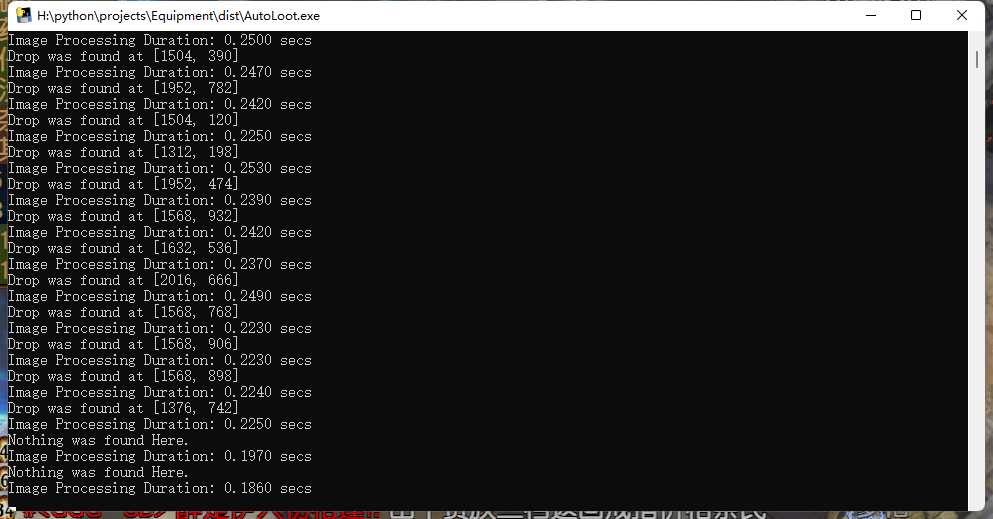
print(f'Image Processing Duration:{tok - tick: .4f} secs')
# transform local coord to global coord
gx = int(self.l_offset + int((lx + .5) * STRIDE_X) * DOWNSAMPLE_RATE)
gy = int(self.t_offset + int((ly + .5) * STRIDE_Y) * DOWNSAMPLE_RATE)
if found:
self.lx = int((lx + .5) * STRIDE_X) * DOWNSAMPLE_RATE
self.ly = int((ly + .5) * STRIDE_Y) * DOWNSAMPLE_RATE
return gx, gy
else: return None
Processor = Looter()
def onpress_callback(key: keyboard.KeyCode):
try:
# if key == keyboard.Key.esc: sys.exit(0)
if key == keyboard.Key.space:
# Step 1. Do Screen Shot
coord = Processor.detect(shot=Processor.screenshot(), srange=SEARCH_RANGE)
# move mouse to item and click
if coord is not None:
found_x, found_y = coord
# press 'F' down
win32api.keybd_event(70, 0, 0, 0) # press down F
sleep(0.02)
win32api.SetCursorPos((found_x, found_y))
sleep(0.01)
win32api.mouse_event(win32con.MOUSEEVENTF_LEFTDOWN, 0, 0, 0)
win32api.mouse_event(win32con.MOUSEEVENTF_LEFTUP, 0, 0, 0)
win32api.keybd_event(70, 0, win32con.KEYEVENTF_KEYUP, 0) # press F Up
print(f'Drop was found at [{found_x}, {found_y}]')
else:
print('We Got Nothing.')
if Processor.fever_mode == True:
sleep(DELAY)
win32api.keybd_event(32, 0, 0, 0) # press down space
except Exception as e:
raise e
if isinstance(Exception, AttributeError): pass
else: pass
def onrelease_callback(key: keyboard.KeyCode):
try:
if key in {keyboard.Key.caps_lock}:
if Processor.fever_mode is True:
Processor.fever_mode = False
else:
Processor.fever_mode = True
win32api.keybd_event(32, 0, 0, 0) # press down space
except Exception as e:
if isinstance(Exception, AttributeError): pass
else: pass
hello()
hook = keyboard.Listener
with hook(on_press=onpress_callback, on_release=onrelease_callback, suppress=False) as listener:
listener.join()